Make the next invitation relevant.
Review attendance and giving history before an appeal or follow-up. Give your team more context for the relationship, from first visit to continued support.
Arts management, connected
Bring your audience, fundraising, and operations into the same picture—so each team can see the work that supports the next performance.
For professional performing arts organizations.
Main stage · 7:30 pm
The work before the curtain. The relationships after it.
Illustrative workflow · fictional records, not a product screenshot
Across your organization
A night on stage depends on work across the organization. Explore what each team brings to the same picture.
Move from event setup to orders and check-in with the performance at the center. Keep attendance records available when it is time to invite people back.
From interest to attendance
Your event schedule, ticket sale, and door team belong to the same story. Set up the sale, review orders, and welcome your audience from a workspace connected to the event.
Explore ticketing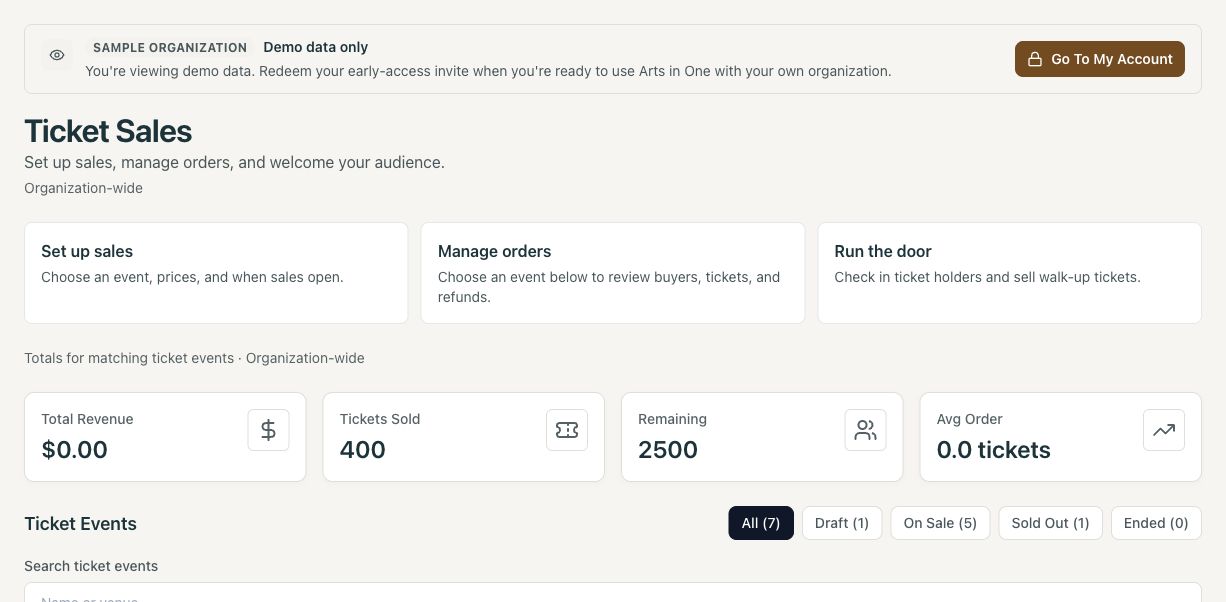
Review attendance and giving history before an appeal or follow-up. Give your team more context for the relationship, from first visit to continued support.
Manage giving pages, campaign goals, receipts, and year-end statements. Track grants from application and award through payments and reporting evidence.
Keep dates, replies, assignments, and materials within reach. Coordinate performers, staff, contractors, and volunteers across your organization.
Making it work for you
Yes. Link to public ticketing, giving, and signup pages or use supported embeds. Your organization can keep its existing website while bringing the resulting records into Arts in One. Preview the installation during setup.
Start with a representative event and the workflow you want to improve. We will review your current tools, imports, access needs, and member experience before agreeing on a guided rollout. Explore bringing your existing records.
Review current plans and confirm the capabilities you need during a demo. Early access is by invitation; Professional Operations is a separately enabled pilot. External payment records and accounting exports support an administrative handoff, rather than replacing payroll or accounting.
The platform brings together the work of professional performing arts organizations, including theatre, opera, orchestras, dance, and festivals. Community and educational groups can use relevant workflows too. Bring your production process and any specialist requirements so we can confirm the fit.
Your organization. Your workflow.
Show us where the handoffs get complicated. We’ll show you how your people, audiences, and funding can connect.